
XDStar Client
How to add new transaction?
Go to Administration -> Transactions-Types.
- Create new Transaction, click on “Create Transaction”
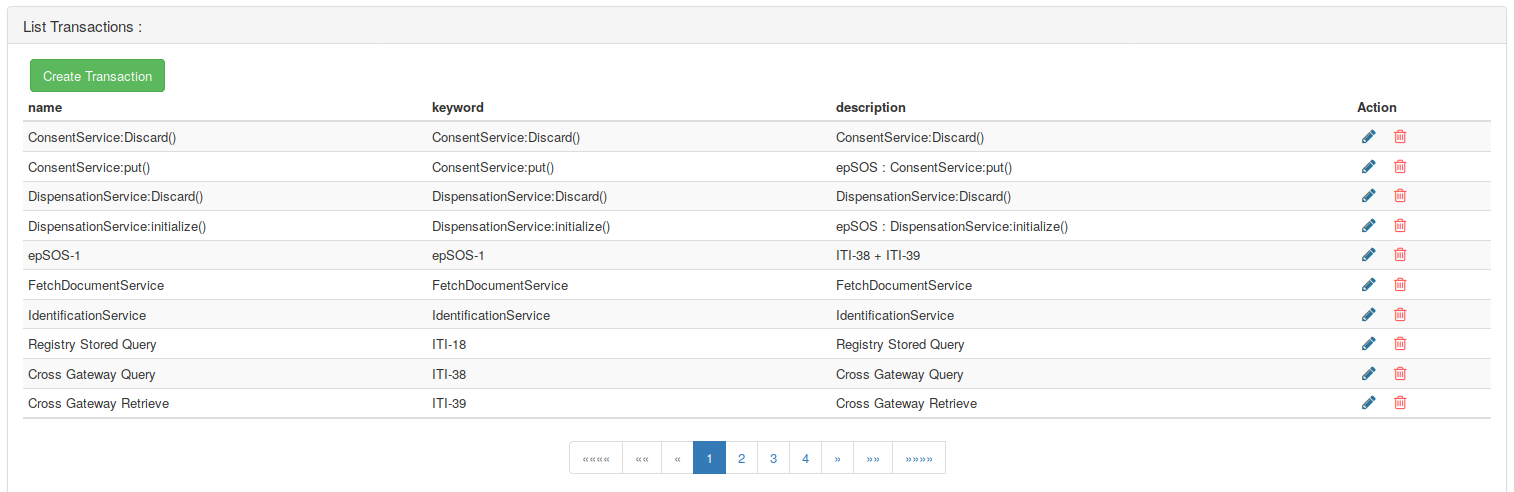
- If the transaction is from profile that is not yet defined, create new affinity domain. That matches the new transaction with the new profile. To do that, click on “Create AffinityDomaine”
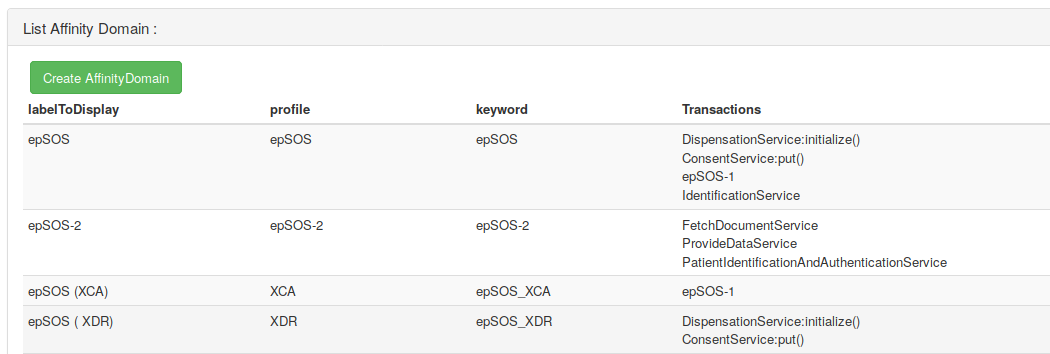
If the profile already exists, click on the “pencil” button to edit the affinity domain adding a transaction to a profile.
- Create a transaction type, click on “Create Transaction Type”
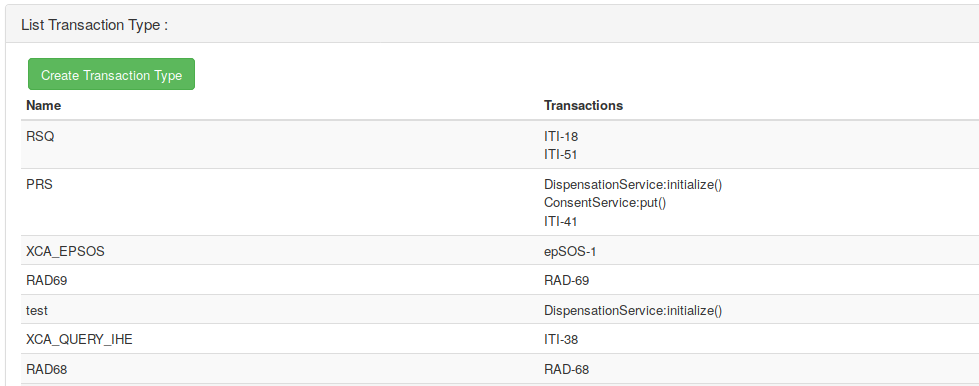
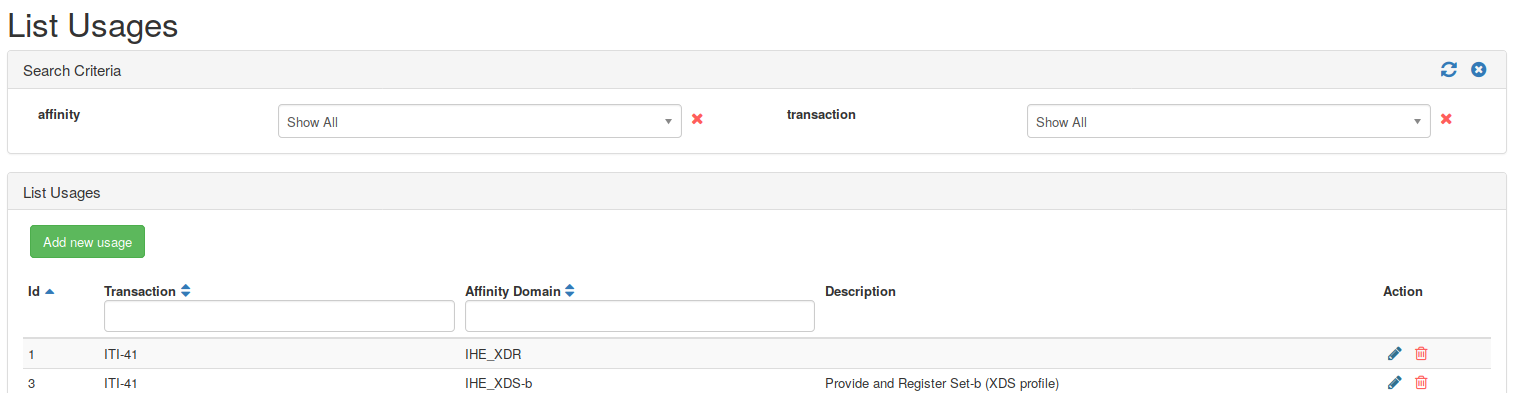
Go to XDS-Metadata -> AffinityDomain-Transaction
- Add new usage, click on “Add new usage”
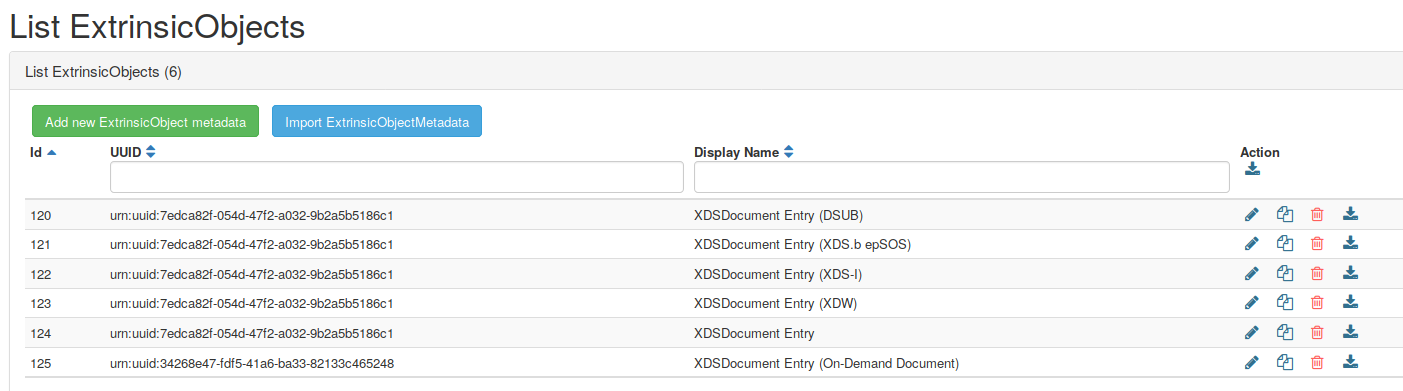
Go to XDS-Metadata -> Extrinsic-Objects
- Edit an existing extrinsic-object or add a new one
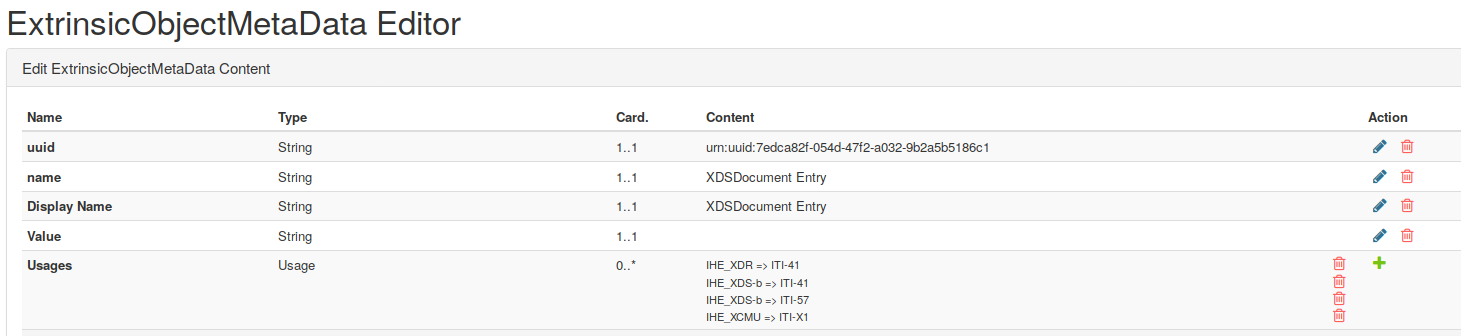
- Add the new usage in the Extrinsic-object
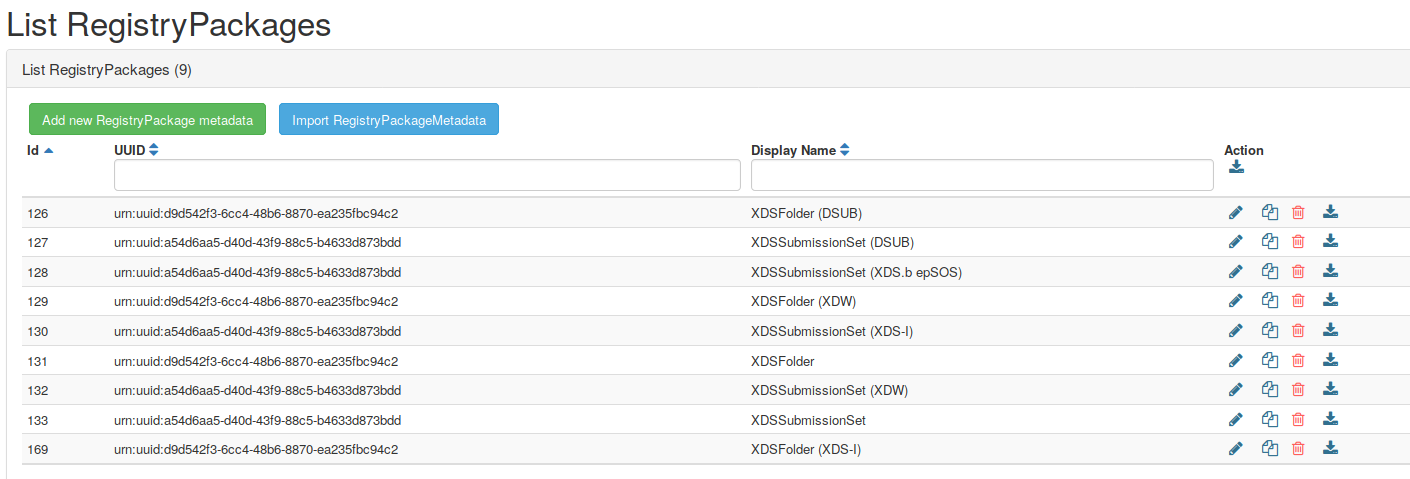
Go to XDS-Metadata -> Registry Packages
- Edit an existing Registry Package, or add a new one
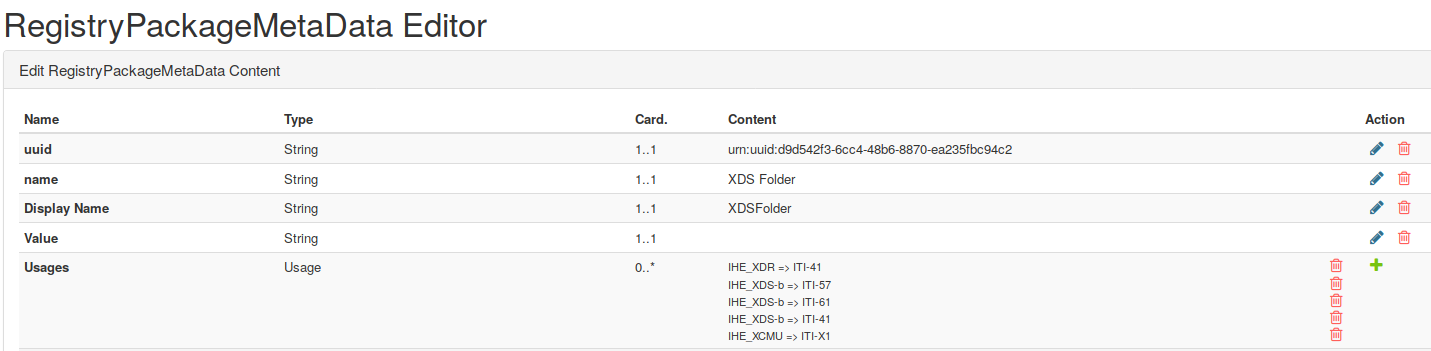
- Add the new usage in the Registry Package
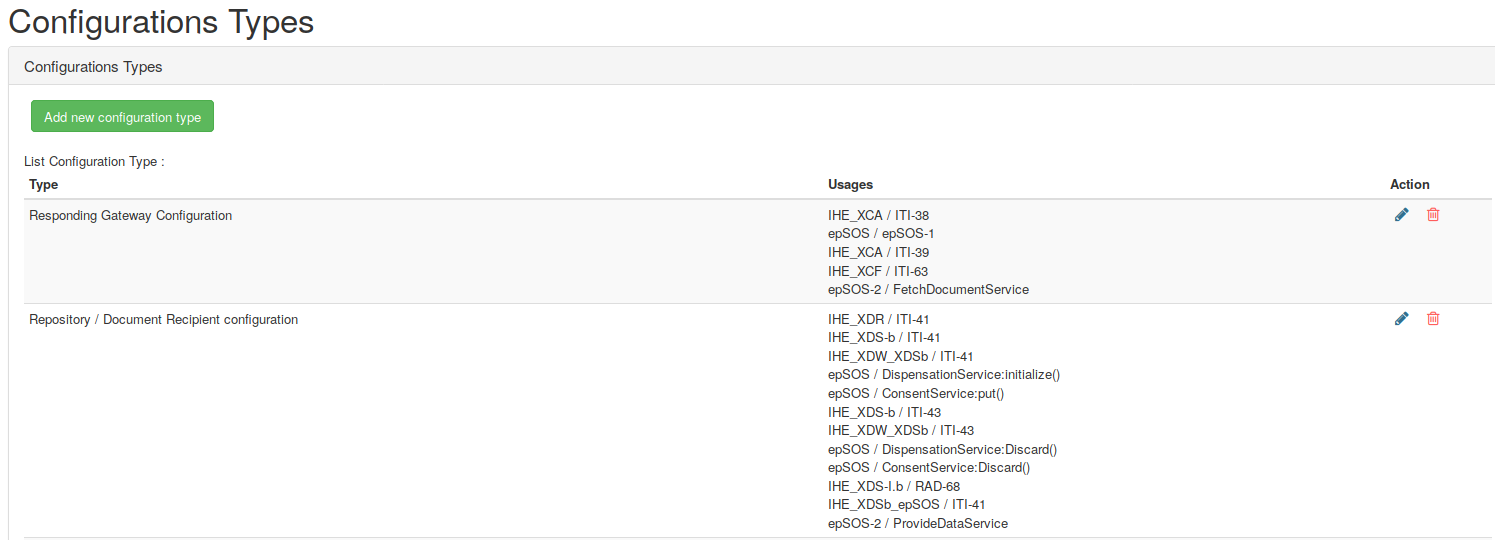
Go to Administration -> Configurations Types list
- Add the new usage in the corresponding configuration type.
How to create new validator?
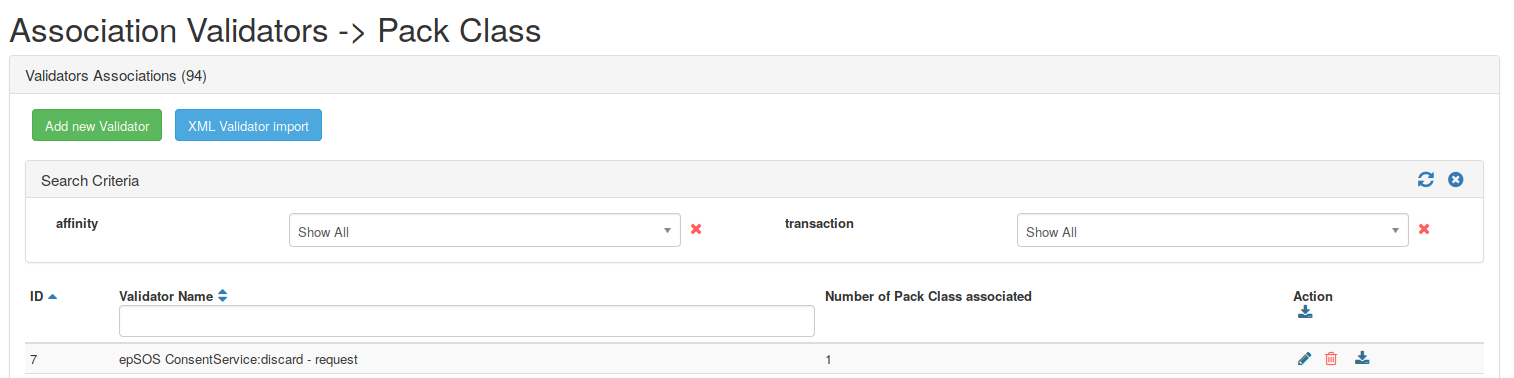
There are two ways to create validator :
- Importing XML Validator by clicking on “XML Validator import”
- Editing on the GUI by clicking on “Add new validator”
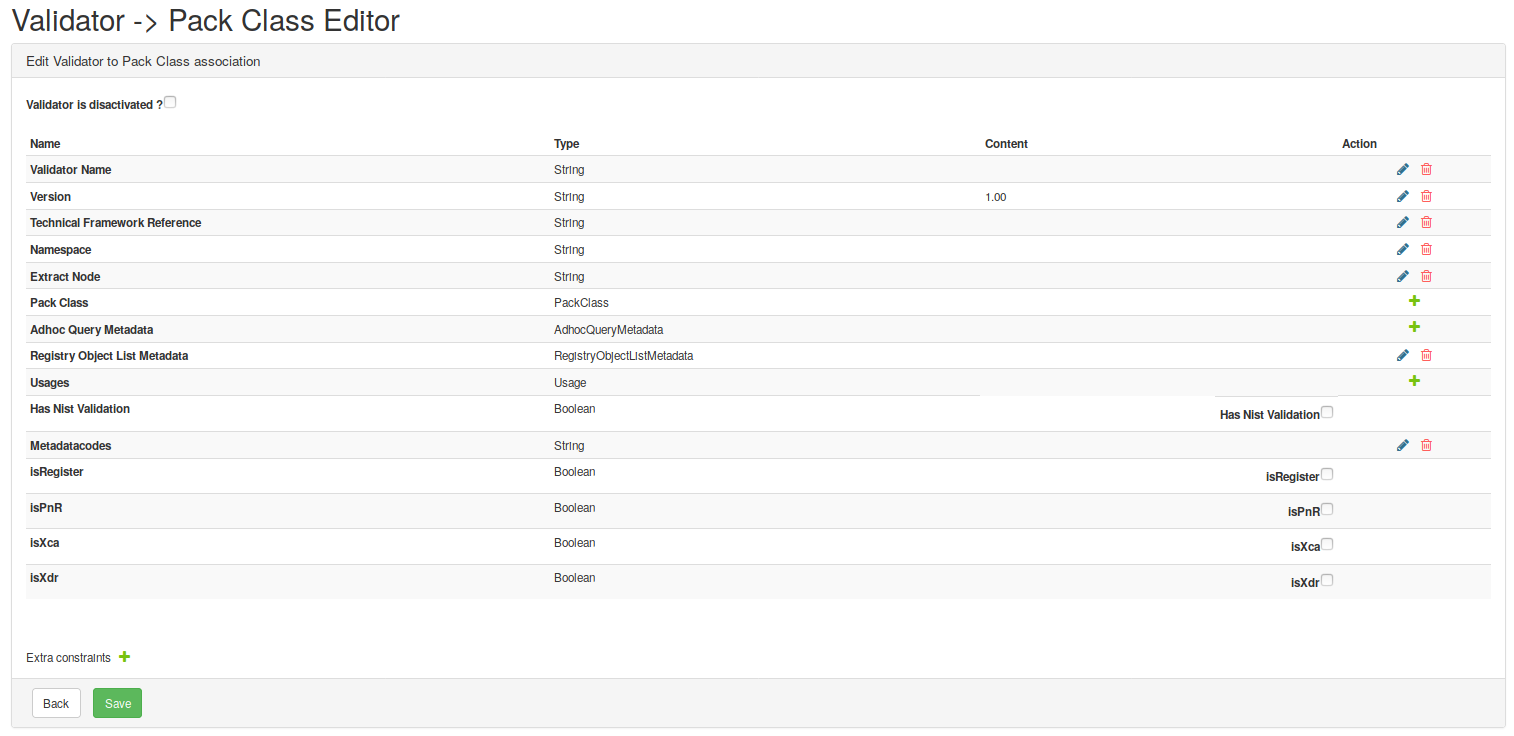
| Fields | Description |
|---|---|
| Validator is desactivated? | Check this box if the validator shall not be used |
| Validator Name | The name shall be precise, it shall start with the domain (used as distinguisher in EVSClient) |
| Version | Validator version |
| Technical Framework reference | where the profile is specified |
| Namespace | Namespace used in the message |
| Extract Node | Message type (ex : retrieve document set request, registry request, … ) |
| Pack class | Validator types required for the message type |
| Adhoc Query Metadata | If the message is an Adhoc Query, this is the Adhoc Query type |
| Registry Object List | If the message contains registry object list, precise which one is used |
| Usages | The AffinityDomain of the validator |
| Has nist validation | Check the box if the validator has nist validation |
| Metadatacodes | From which domain the codes are taken |
| isRegister | Check this box if the message is a register |
| isPnR | Check this box if the message is a Provide and register |
| iXca | Check this box if the message is an XCA |
| isXdr | Check this box if the message is an XDR |
It is possible to add extra constraints.
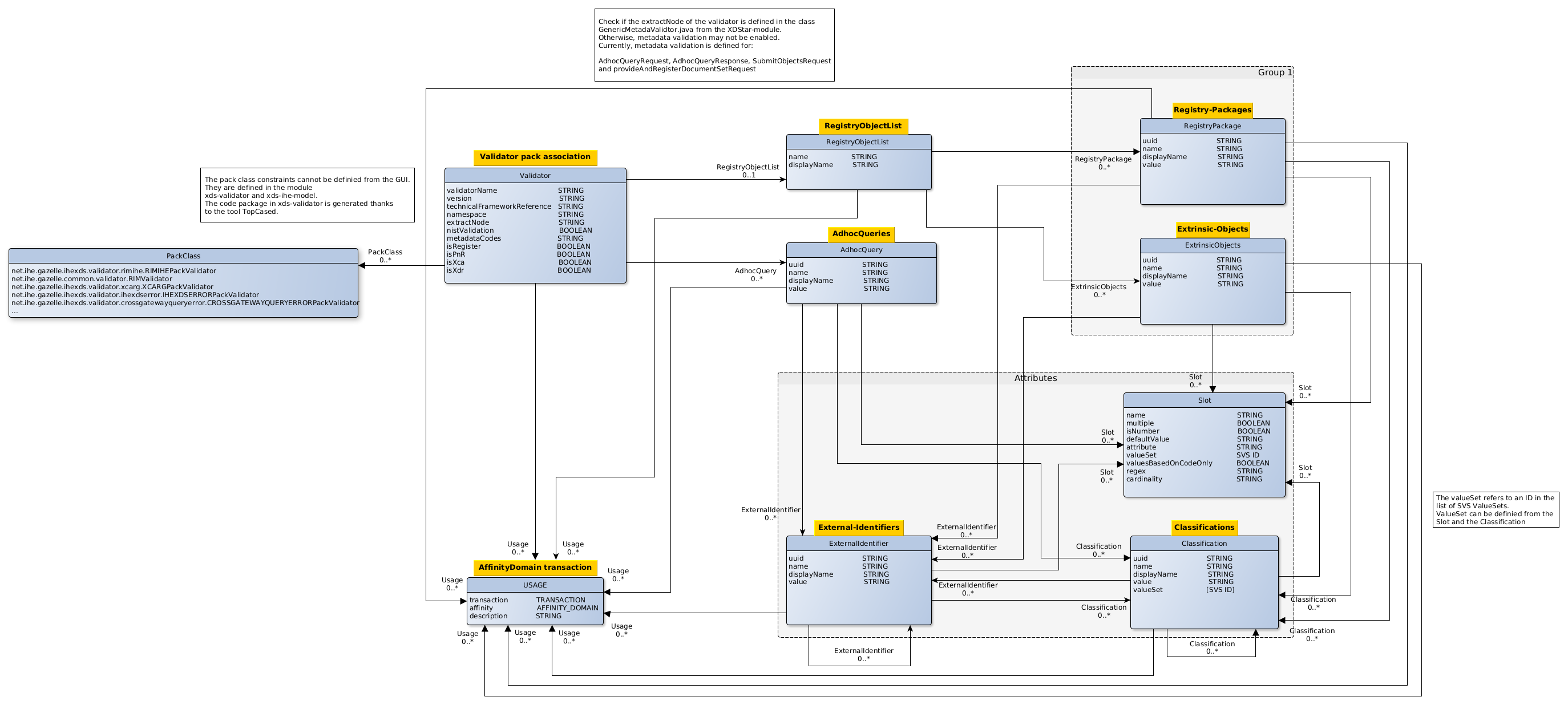
Diagram to describe how validators are organized in the XDStarClient
How to add a valueSet control in a validator ?
The validators are defined in the XDS-Metadata > Validator Pack association section. When we edit a validator, we can select a RegistryObjectList from the Registry Object List Metadata field.
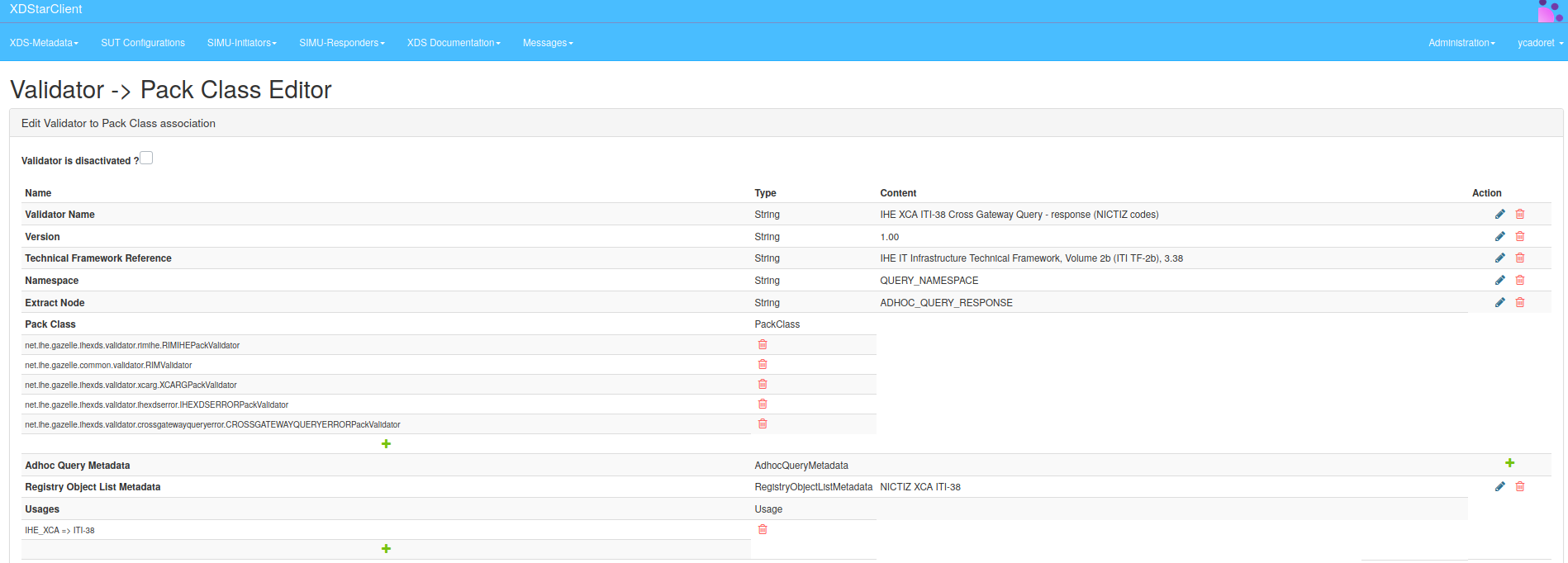
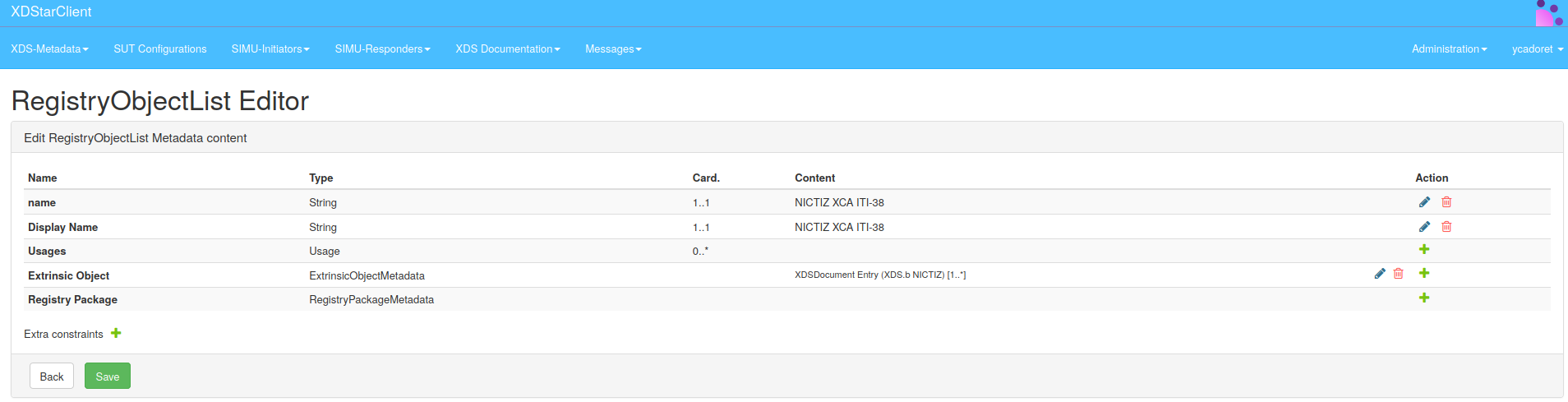
This RegistryObjectList is defined in the XDS-Metadata > RegistryObjectList section. When we edit the RegistryObjectList metadata, we can select several ExtrinsicObjectMetadata or/and RegistryPackageMetadata.
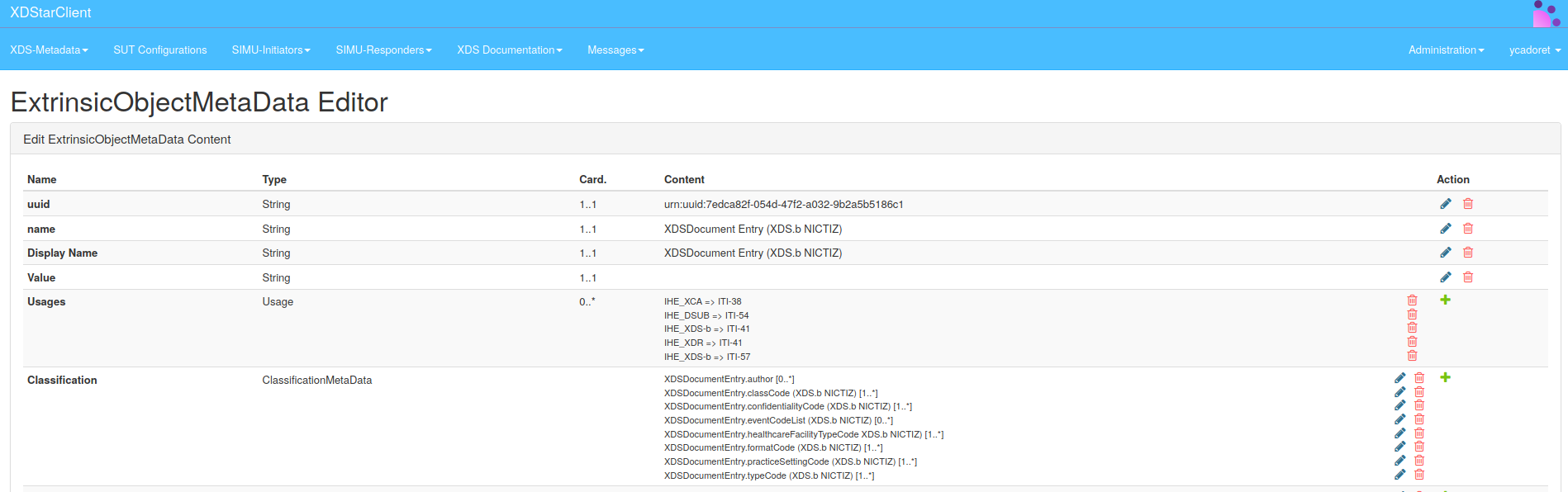
The values of these different fields are defined in the XDS-Metadata > Extrinsic-Object and XDS-Metadata > Registry-Package sections.
In the Extrinsic-Object and the Registry-Package, at the classification fields, we have the list of ClassificationMetaData managed by this ExtrinsicObjectMetaData or this RegistryPackageMetaData.
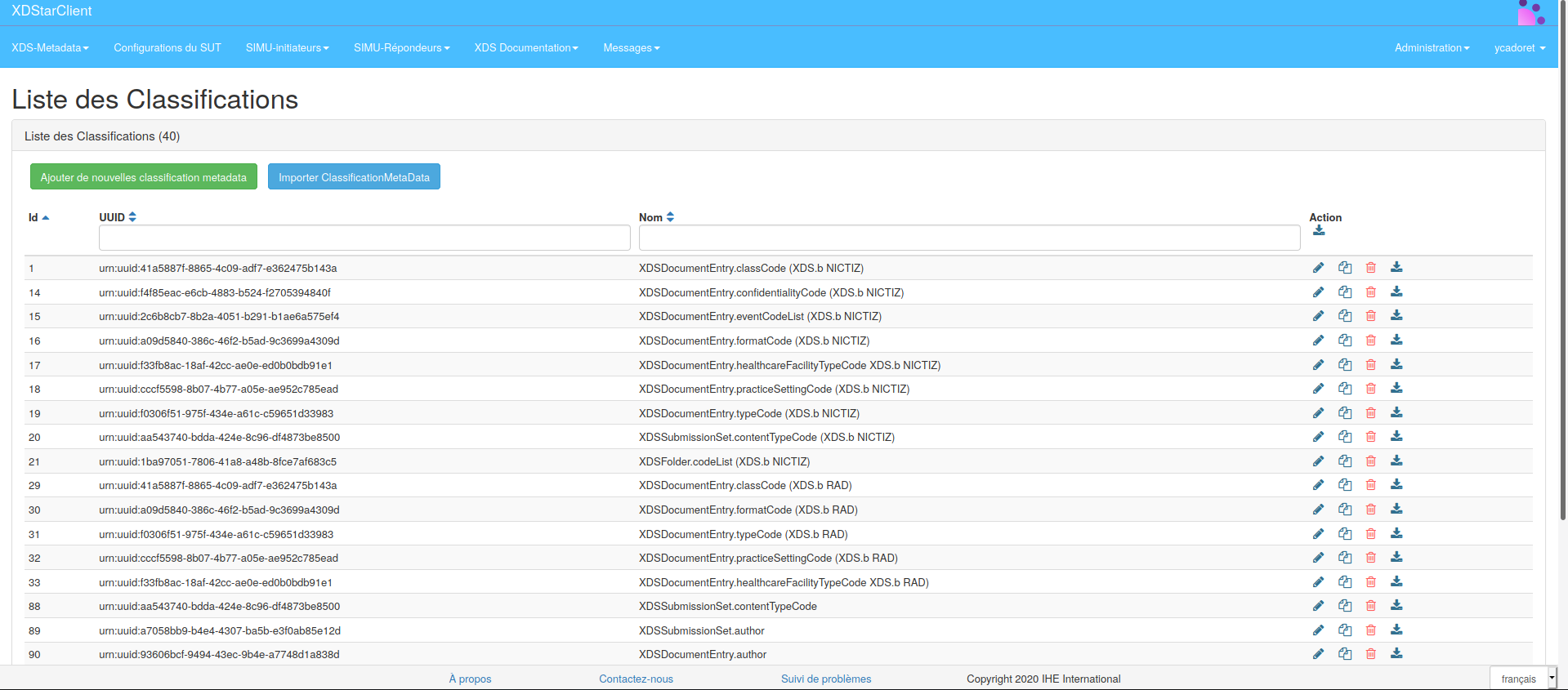
All these ClassificationMetaData are defined in the XDS-Metadata > Classifications section and contain an identifier to refer to a value defined in SVSSimulator.
How to link SVS Value Set to a XDS validator ?
SVSSimulator contains the values to use in a context definition. For XDStarClient, it allows checking that a message to be validated respects the defined context.
In XDStarClient, valueSets are defined in the XDS-Metadata > Classification section. Each ClassificationMetaData is linked to an SVS valueSet thanks to an identifier.
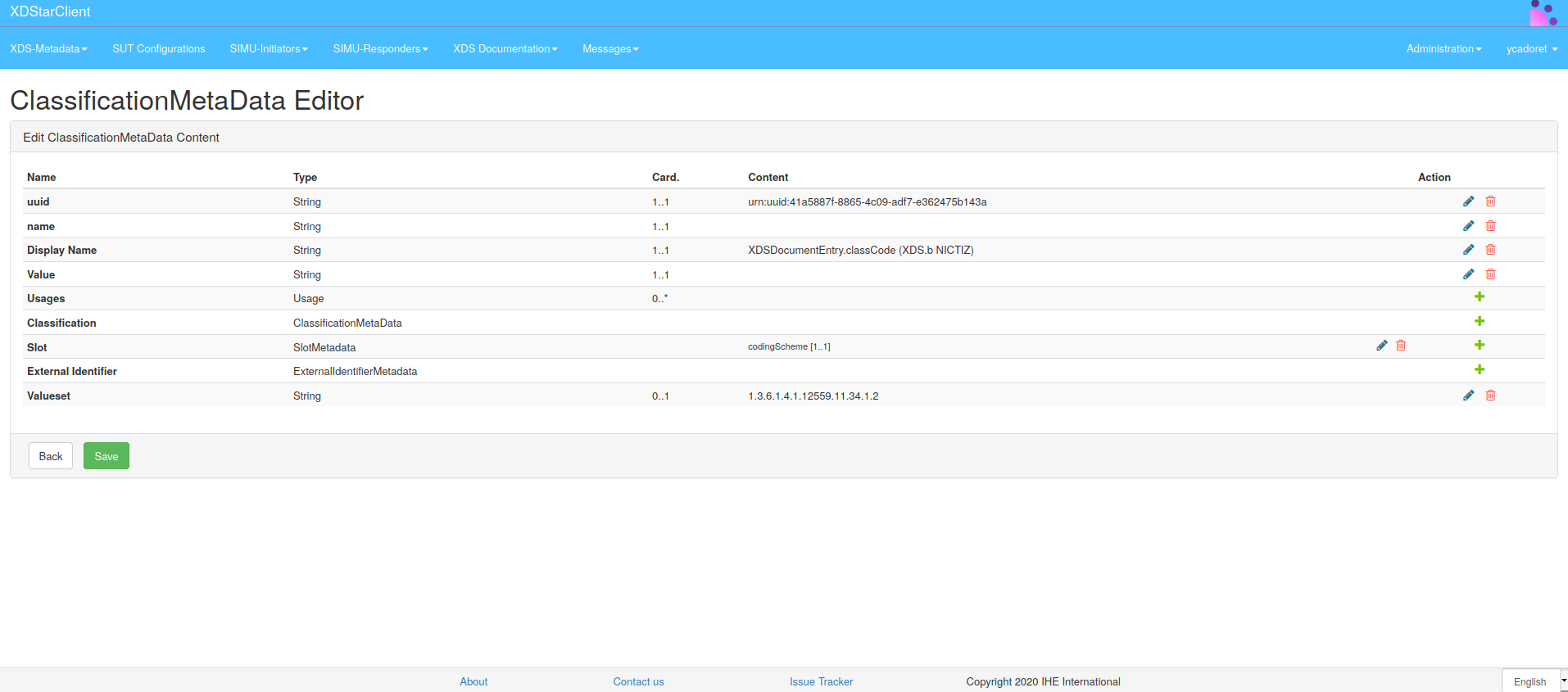
- Edit the value of Valueset
- Edit in the codingScheme in the Slot the value of the valueset:
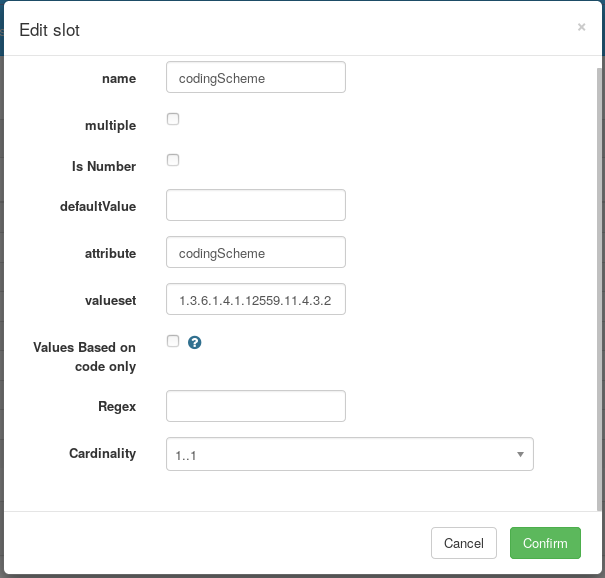
Thus, through the RegistryObjectList metadata selected in the association of the validation pack, we can check in a message if all the metadata values are valid in the defined context.